Students: The basics
Millions of students are asking questions and swapping insightful class notes. Here is how to get in on the action!
⭐️How to get high-quality answers
🙋🏻♀️How to choose contributors
👤Create an account
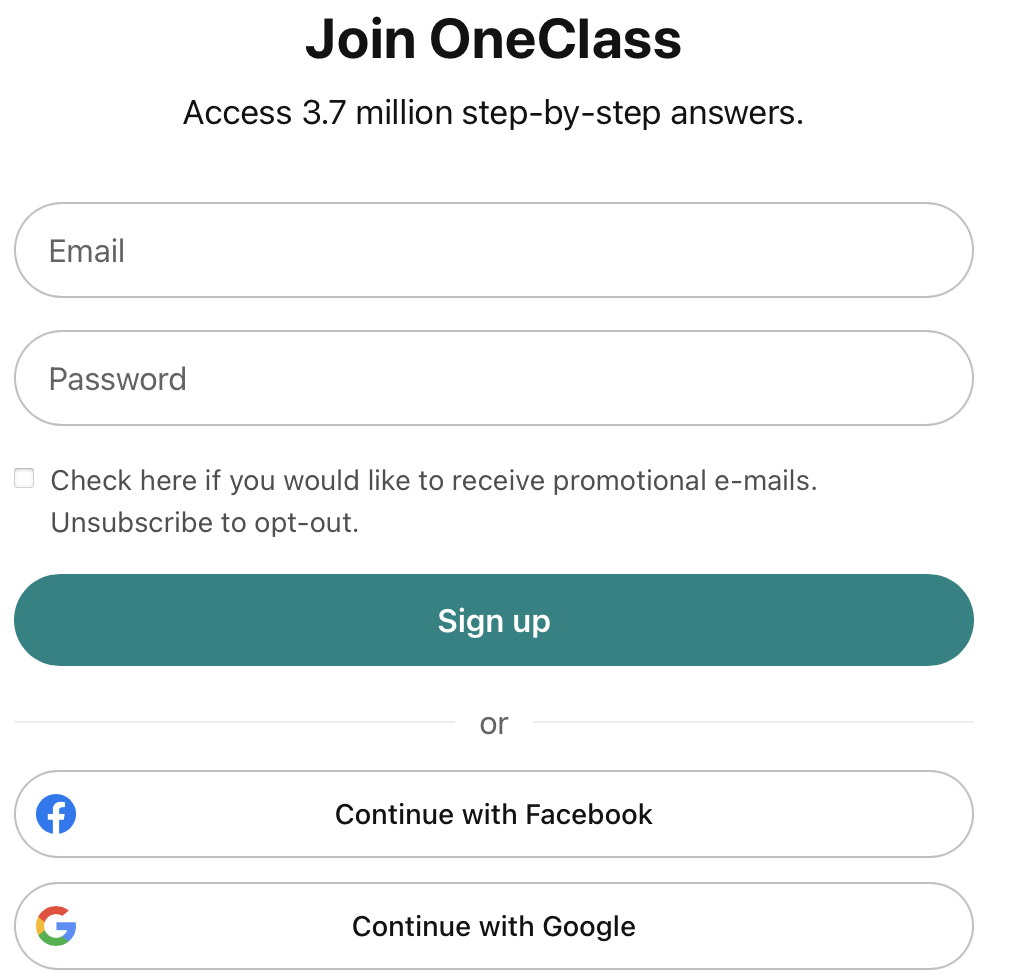
1. Got to www.oneclass.com.

📝Complete your profile

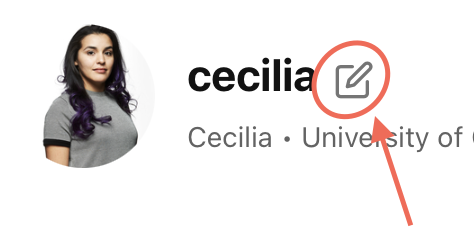
3. Fill in the Personal info fields. This is for the community to know you better and help you more efficiently.
⁉️Ask your first question
Here are the steps you to follow to get you started or you can also watch this video.
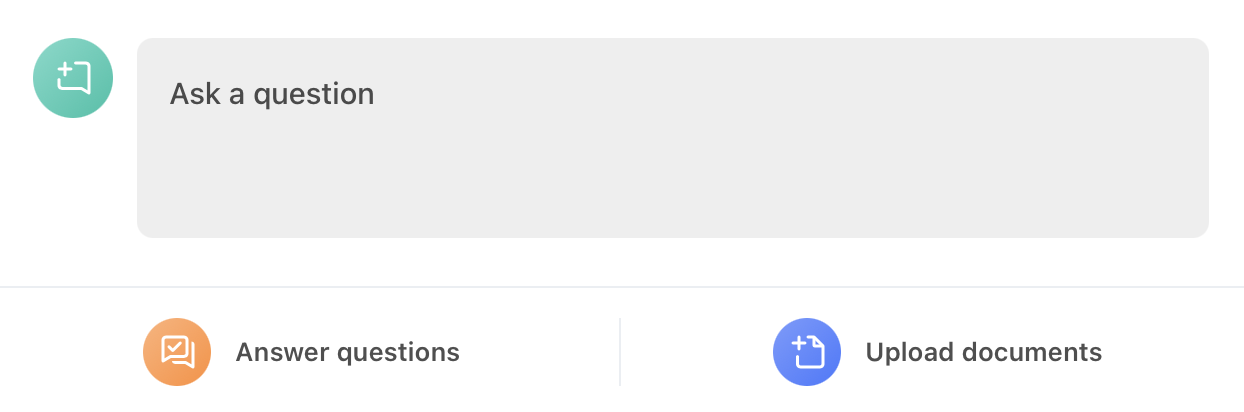
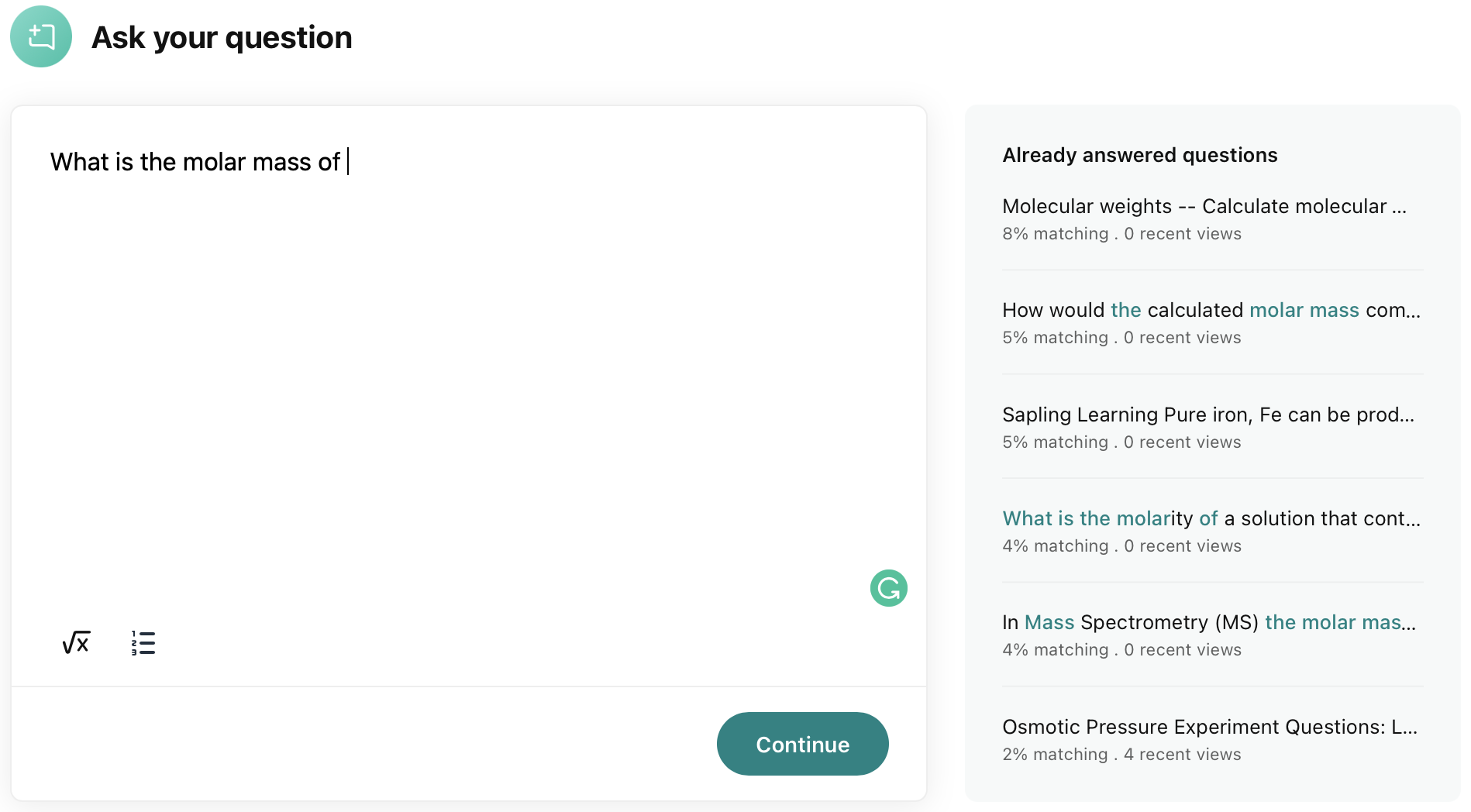
3. Tag a contributor with great answers on your subject.
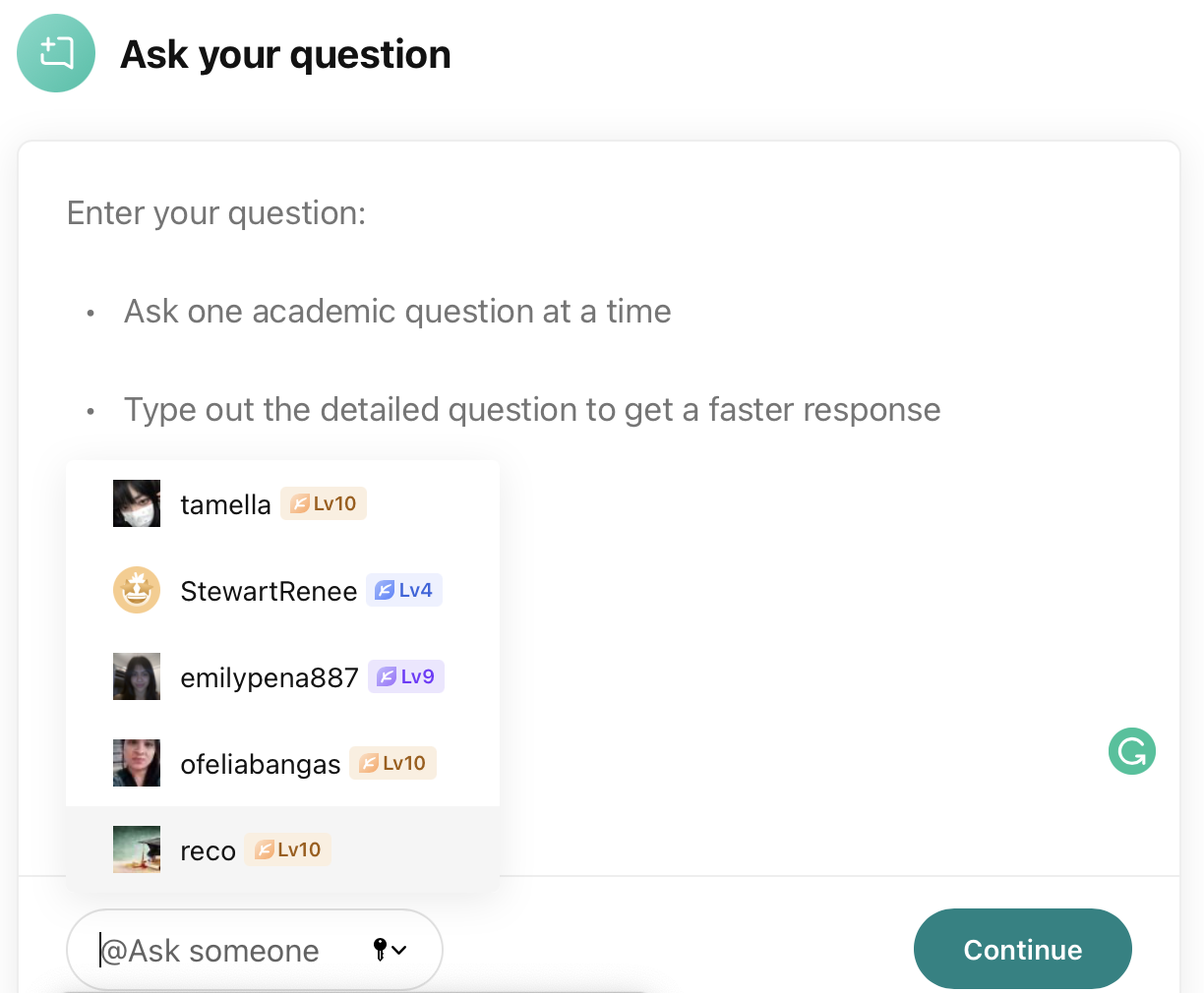
4. Click Continue , choose the subject and Post your question.
⭐️How to get high-quality answers
Use the tagging feature to get quick and high-quality answers from your favorite contributors! Make sure to also like the answers you find helpful to give thanks to them.
A few tips:
Look for contributors who have good answers on the subject you are interested in
Follow them
You can choose between these options:
Click directly on Ask question from the contributor's profile page.
Click on Ask question and then enter the contributor's name on the blank field at the bottom left corner.
Post your question and you’re done! Tagging good contributors helps you get more answers quickly.
Visit this video to watch how to do it from the profile page or from the home page.
🙋🏻♀️How to choose contributors?
Are you trying to post your question but you are having a hard time choosing who to tag? We got you covered!
There are a few ways to do this:
- Search contributors per subject, course or name (if you already know their names).
- Search questions in your subject of interest and find a contributor whose answers you like.
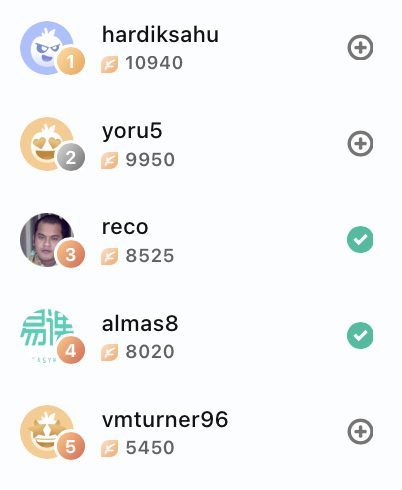
- Check out the profiles of the contributors on the leaderboard.
Overall, try to find contributors whose content you like, then follow them and tag them every time you post a question.
1. Search contributors
Click on the search bar on the home page and select the "Contributors" tab. You can choose to search by Subject, Course or Name:
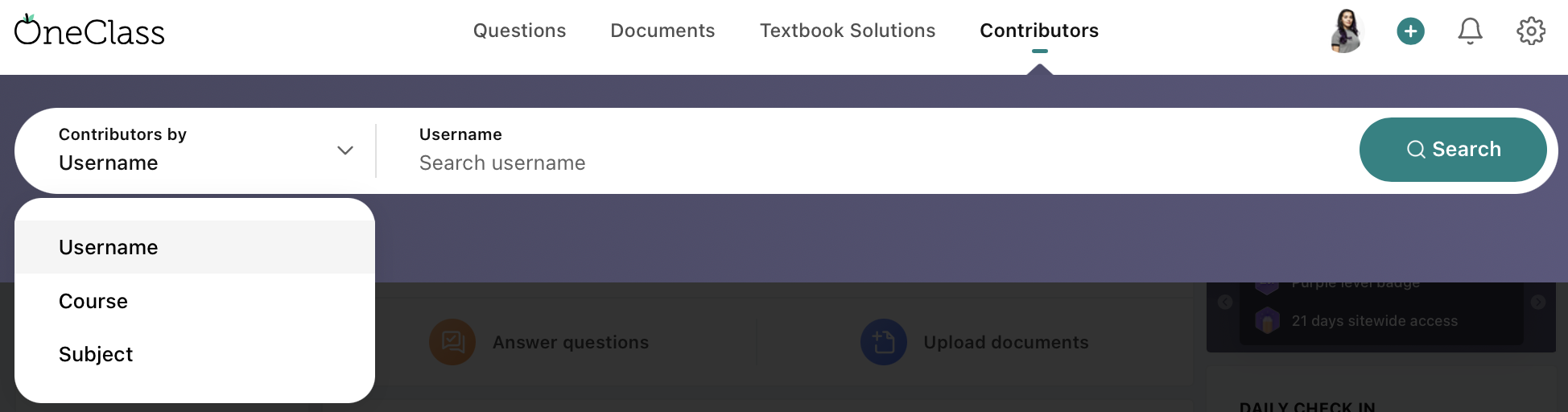
Let's say you searched by Subject = Mathematics. In this case, your search results will look like this:
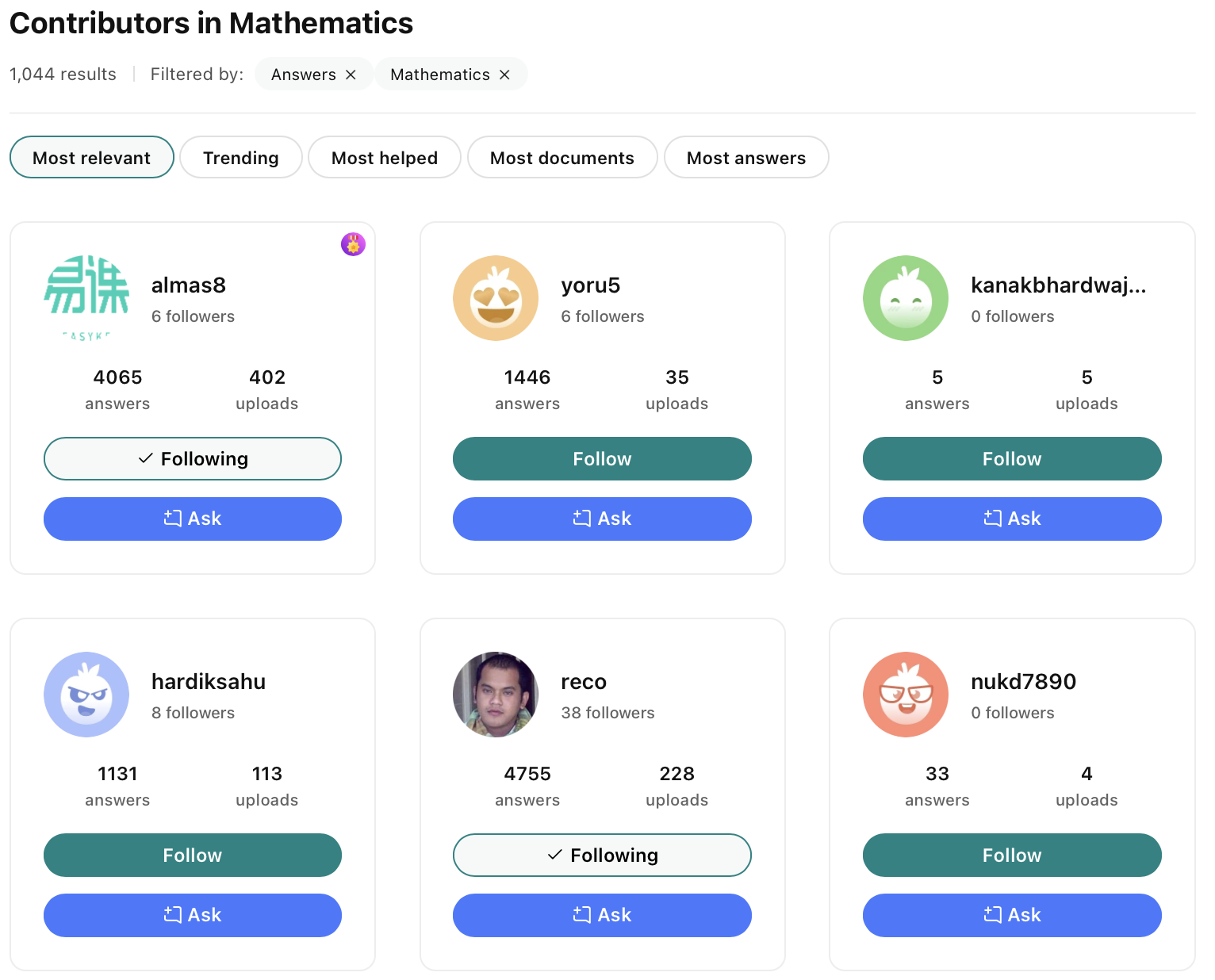 Once there you can apply a series of filters using the left side panel or sort them by
 2. Search questions
There are many ways to search questions at OneClass:
- From the Home Page use the search bar and select the "Questions" tab.
- From the Home Page click on one of your subjects.
- Click on ASK QUESTION and start typing your question. Similar questions will appear on the right-side panel.
- Click on any contributor's profile and browse their answers.
Once you find someone with high-quality answers on the subject you are interested in, make sure to follow and tag them on your next questions.
3. Check the leaderboard
Another easy way to find good contributors is by checking out the current top contributors on the weekly leaderboard. You can find it on the right-side panel on the Home Page and it basically tells you who has been more active during the current week.
✅Student's guidelines
Ask one question per post
Although this is not a rule, single questions are more likely to be answered than posting multiple questions in one submission. The reason? Contributors are encouraged to only answer those questions whose answers they know, so if they see a post with multiple questions but they can only answer one, they will not answer at all to avoid posting an incomplete solution. Apart from that, posts with a single question on them require less time to answer, making contributors earn more points faster.
Ask only academic questions
Non-academic questions are not allowed at OneClass. If you have questions about OneClass, subscriptions, ways to make money, your account, etc. please contact us at contributors@oneclass.com (even if you are a student) or through the form on this site.
If you post a non-academic question, it will be removed from the site and you will receive a warning email. If you post a non-academic question again after receiving your warning email, your account will be suspended.
Include all relevant information
Edit questions before posting to avoid phrases such as "as seen in class", "refer to Chapter 3 in our book", and "use equation 5.2". Note that if a question requires additional information to be solved but is not provided, it will not be answered. To avoid getting questions removed, make sure to include screenshots or attachments with everything that is necessary to solve it.
No personal information
If your post contains personal information or if you ask for personal information (including but not limited to phone numbers and email addresses), it will be removed from the site and you will receive a warning email. If you post personal information or if you ask for personal information again after receiving your warning email, your account will be suspended.
Ask complete questions
Only complete questions are allowed to stay public at OneClass. If you post incomplete phrases or if it is not clear what you are asking, your question will be removed and you will have to ask again. Avoid losing time and make sure everything is in order so you receive a prompt answer!
Review your question before posting
It is a good practice to review your question before posting to ensure it is aligned with our guidelines and avoid getting your account suspended.
Do not ask the same multiple time
Although we understand you need a quick answer, posting the same question multiple times is not the way to get it. Rather, this is seen as spam and such questions are removed by our moderators! Avoid getting your question removed by posting it only once.
⏰Remember…
Contributors are doing their best but it is not always possible for them to provide a fast answer. Nonetheless, there are a few things you can do to get the answers you need:
-
Follow your favorite contributors
Contributors appreciate having followers that rely on them
-
Interact more with them
Like the answers that are useful to you. It helps the contributors feel recognized and makes them want to continue answering your questions.
-
Ask one question per post
Single questions are more likely to be answered than posting multiple questions in one submission